AI email, inside your CRM ✉️
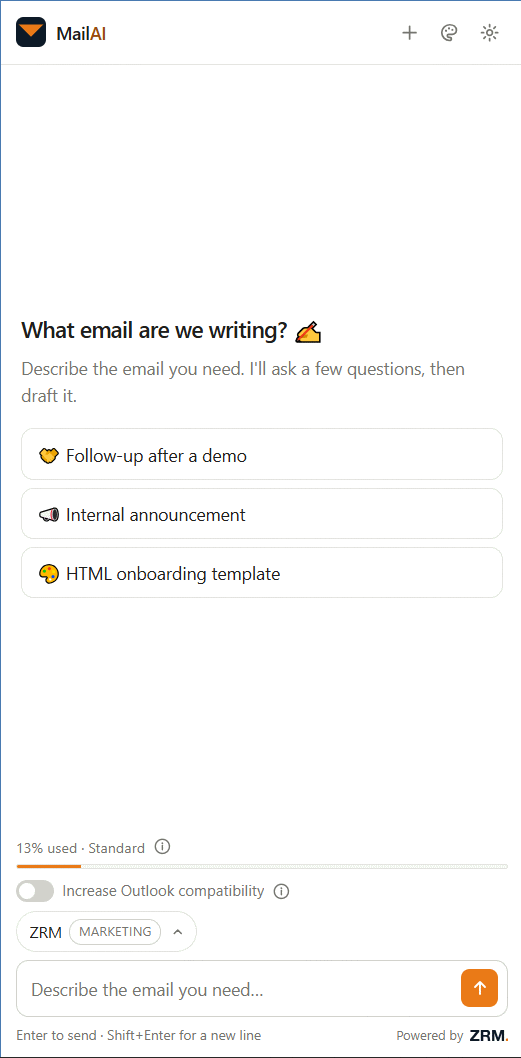
Describe the email. MailAI writes it in your brand, with real merge fields — straight into the editor.
Zoho CRM first. More CRMs on the way. Install, sign in, write.
Three ways to write CRM email. None of them are good. 😮💨
Slow and fiddly — and it breaks in Outlook.
Out of reach for the person who has to send the email.
Copy, paste, fix, re-brand. Every time.
MailAI sits in the editor and writes into the editor.
Describe it, and it's built.
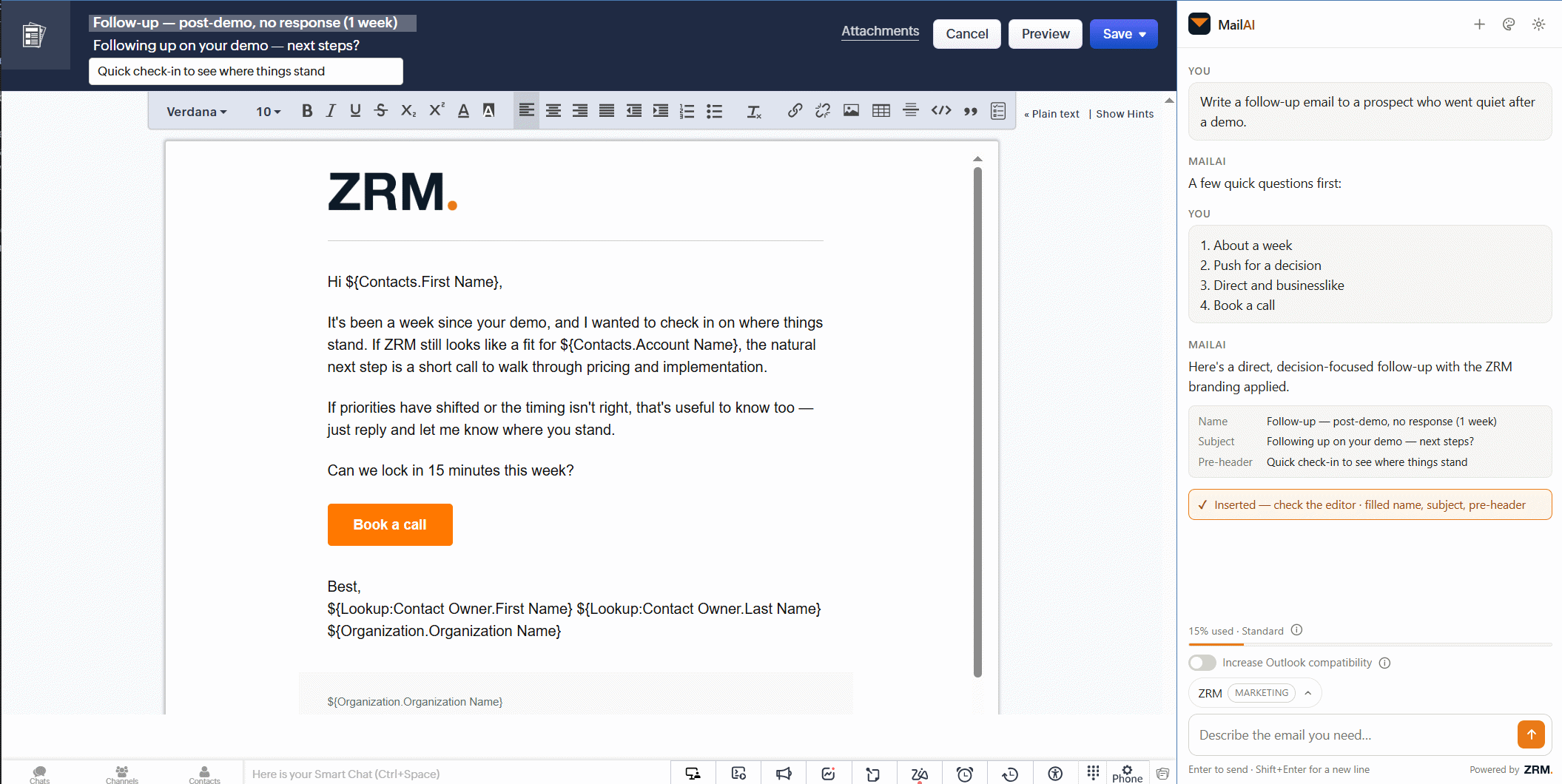
The panel opens next to the template editor. You type what you want — MailAI builds the email and puts it in. No copy button, because there is nothing to copy.
Template name, subject and pre-header come back every time — a pre-header field is one most CRMs don't have at all. It only fills blanks, and tells you which.
When the request is ambiguous you get two to four tappable answers. The usual back-and-forth becomes a few clicks.
The gallery has two routes to two builders, and only one can be driven. The page dims and cuts a hole around the right button.
Your own brand, automatically.
Point MailAI at your website — up to three addresses — and add your brand guidelines as a PDF. Out comes a design profile: eight brand colours, a font stack, a logo and a description of the visual character.
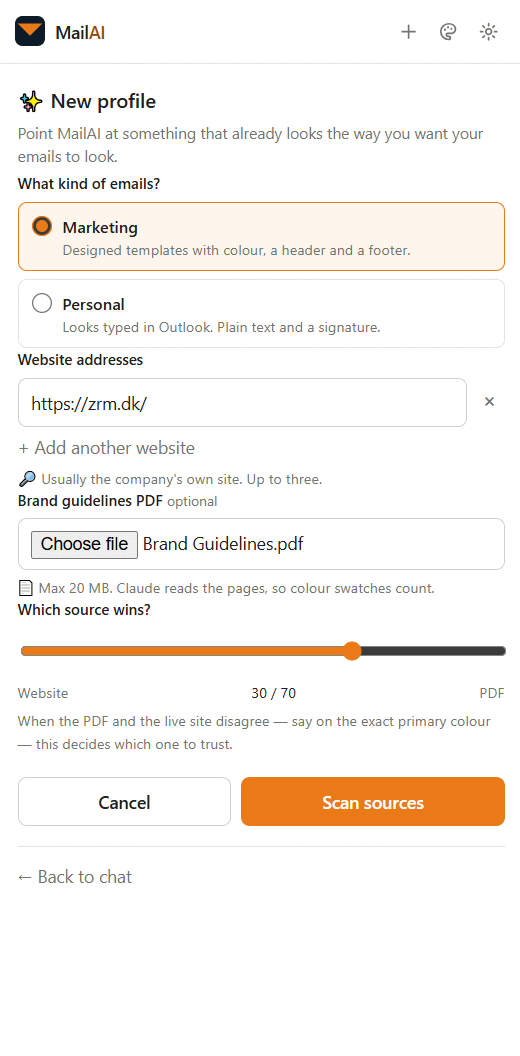
Profiles are stored per organisation, not per user, so emails from the team look like one company. Nothing is stored until you approve the draft.
A designed template: brand colours, structure, reusable header and footer.
Has to read like a colleague typed it in Outlook. No banner, no buttons.
For personal emails it looks up your domain's MX records and matches the compose font: Aptos for Microsoft 365, Arial for Google Workspace, Lato for Zoho Mail. It's the detail that otherwise gives a “personal” email away.
Paste your signature out of Outlook or Gmail. The layout is preserved, but the person becomes merge fields — so one signature serves the whole team.
Real merge fields from your real CRM.
The fields are read live from your own CRM every time you write — custom modules, lookups and localised labels included. It also knows which module the template targets, so a Leads template gets Leads fields. A generic AI tool structurally cannot do this.
A toggle switches the rules: off for the richest rendering in Gmail and on mobile, on for output that renders identically everywhere — Outlook on Windows included. Zoho, for one, strips comments, mso CSS and VML, so the HTML has to be Outlook-safe by construction.
Which is why it handles the fields your CRM doesn't have and the rules it breaks. Made and supported by ZRM ApS, a Danish CRM consultancy. Zoho CRM is supported today — every data centre, sandbox and CRM Plus. Chrome 116+.
Pricing 🏷️
Four plans, priced per organisation — not per user. One licence covers unlimited colleagues in the same organisation. Sign up before 1 November 2026 and the intro price holds for your whole first year.
- 100,000 tokens a month
- Design profiles require Standard
- Unlimited users in the organisation
- Live merge fields from your CRM
- Outlook mode
- Everything in Free, plus:
- 1,500,000 tokens a month
- Up to 3 design profiles
- Admin console with per-user token limits
- One profile set shared by the organisation
- Everything in Standard, plus:
- 5,000,000 tokens a month
- Up to 10 design profiles
- Everything in Premium, plus:
- Unlimited tokens
- Unlimited design profiles
One email template typically costs 25,000–50,000 tokens. The calculator counts 50,000 per template, so it errs on the heavy side.
The plans differ on monthly token usage and the number of design profiles. On Free you can see design profiles, but using one requires an upgrade to Standard or above. The intro price applies for the first year to everyone who signs up before 1 November 2026.
Colleagues find each other on their own.
Sign up with your work email and you land in your company's workspace with its design profiles. Nobody has to invite anyone. Consumer addresses get their own private workspace.
Claimed with a TXT record — the same model Google Workspace and Slack use.
The team, spend per person, monthly ceilings, invitations, roles from owner to member — and optional two-factor.
A meter in the panel shows the allowance used, as a percentage, while the email is written.
Single-use, expiring after 14 days. Sessions last 60 days.
🔒 It does not read your CRM data.
MailAI reads the editor page you have open and the list of field names. Not your customers, records or mailbox.
The AI key never touches the browser; requests go through ZRM's own service. Passwords are scrypt-hashed, session tokens are stored only as hashes, and each organisation's data is isolated by the session. Danish company, EU-hosted.
A finished, branded email in under a minute ⚡
Install, sign in, write the first one. No setup, no HTML.